
Published: December 9, 2025
What We Learned Migrating Kubernetes Ingress Controllers at Digital.ai
In this post, Digital.ai’s CloudOps team shares insight on the decisions and approach behind a recent Ingress migration.
Customers expect stability. At Digital.ai our standard MSA provides for 99.5% uptime or just under four hours of unscheduled outages per month. Near the beginning of 2025, we switched our Kubernetes Ingress controller from NGINX to Traefik to support some custom functionality. We needed to devise a way to do so safely, but that allowed us flexibility. We settled on using Weighted DNS records with Amazon Route 53.
Weighted DNS
Weighted DNS (or Weighted Routing) works by associating a fully qualified domain name (e.g www.digital.ai) with multiple records, each assigned a weight. Higher weights indicate more traffic routed to a specific record. Weighted DNS allows you to minimize risk without sacrificing the ability to experiment and adjust on the fly. For example, the first wave of weight changes may route 10% of traffic to your new endpoint while 90% remains going to your old endpoint, further waves may increase the weight to the new endpoint. Increasing and decreasing weights in waves allows you to monitor traffic patterns for unexpected issues, while minimizing the blast radius.
Monitoring
Monitoring traffic patterns for 4xx/5xx errors will drive your choice regarding weights. If errors are increasing for your new endpoint, but maintaining a similar rate for your old endpoint? Investigate why the new endpoint is misbehaving, make adjustments, monitor, repeat as necessary.
Traefik
Though NGINX served us well, we reached a point where we felt Traefik was the Ingress controller of our future. Traefik is production ready, battle-tested, and offers many capabilities. Better observability with Traefik allows us to determine the root cause of issues faster.
Implementation
Phase 1 (setup)
- Deployed Traefik in parallel alongside NGINX
- Configured identical routing rules
- Created annotations on Ingresses to created Weighted DNS records
- Initially weighting records to drive traffic solely to NGINX.
Phase 2 (migration)
- Start with an arbitrarily low weight (10%) on Traefik
- Monitor the throughput, errors, and latency metrics
- Increase weight on Traefik ingress
ExternalDNS Annotations
Using annotations provided by ExternalDNS we can create weighted DNS records in Route53.
external-dns.alpha.kubernetes.io/aws-weight signifies to ExternalDNS to create a weighted record and assign a weight to it. AWS allows weighted records to have values between 0 and 255. If you prefer to send a very small amount of traffic to one endpoint you might set the weight to 1, which would send (1/(1+255)) of the traffic to the test endpoint and the other (255/(1+255)) to the other endpoint. This allows differing weights to balance traffic to different endpoints. For simplicity, we have used 100 as our weight.
external-dns.alpha.kubernetes.io/set-identifier is a provider specific annotation that creates a set identifier. A set identifier allows multiple DNS records that have the same combination of type and domain to be differentiated from one another. For example, you may have one set that points to nginx and another set pointing at traefik. Combined with weights you can have a portion of traffic aimed at one and another portion at the other.
Technical Implementation
Lets start out with traffic all going to nginx, we can see that we’ve created a set-identifier called nginx. We create another set-identifier for traefik and have no traffic going there.
# NGINX example
apiVersion: networking.k8s.io/v1
kind: Ingress
metadata:
  name: api-nginx
  annotations:
    external-dns.alpha.kubernetes.io/aws-weight: "100"
    external-dns.alpha.kubernetes.io/set-identifier: "nginx"
spec:
  ingressClassName: nginx
  rules:
  - host: api.example.com
    http:
      paths:
      - path: /
        pathType: Prefix
        backend:
          service:
            name: api-service
            port:
              number: 80
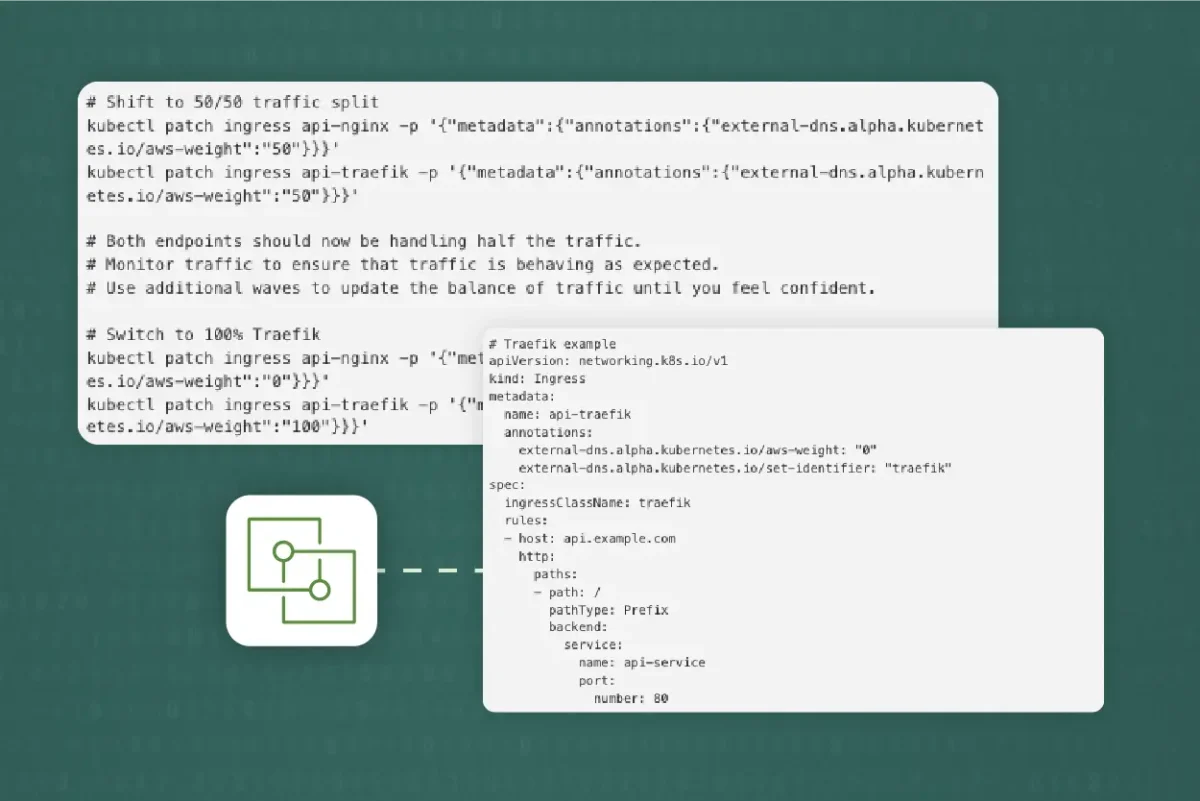
# Traefik example
apiVersion: networking.k8s.io/v1
kind: Ingress
metadata:
  name: api-traefik
  annotations:
    external-dns.alpha.kubernetes.io/aws-weight: "0"
    external-dns.alpha.kubernetes.io/set-identifier: "traefik"
spec:
  ingressClassName: traefik
  rules:
  - host: api.example.com
    http:
      paths:
      - path: /
        pathType: Prefix
        backend:
          service:
            name: api-service
            port:
              number: 80
ExternalDNS will monitor the annotations on the Ingresses and create weighted DNS records in Route53, no manual DNS management is needed. ExternalDNS allows us to shift traffic by updating annotations
# Shift to 50/50 traffic split
kubectl patch ingress api-nginx -p '{"metadata":{"annotations":{"external-dns.alpha.kubernetes.io/aws-weight":"50"}}}'
kubectl patch ingress api-traefik -p '{"metadata":{"annotations":{"external-dns.alpha.kubernetes.io/aws-weight":"50"}}}'

# Both endpoints should now be handling half the traffic.
# Monitor traffic to ensure that traffic is behaving as expected.
# Use additional waves to update the balance of traffic until you feel confident.

# Switch to 100% Traefik
kubectl patch ingress api-nginx -p '{"metadata":{"annotations":{"external-dns.alpha.kubernetes.io/aws-weight":"0"}}}'
kubectl patch ingress api-traefik -p '{"metadata":{"annotations":{"external-dns.alpha.kubernetes.io/aws-weight":"100"}}}'
Lessons Learned
We achieved zero downtime during the migration from NGINX to Traefik, while improving our availability. We attribute this success to the following factors:
- Gradually shifting traffic: Weighted DNS allowed us to shift traffic easily while monitoring the transition.
- Monitoring: Visibility into both old and new infrastructure allowed us to gain confidence in our ability to shift weights.
- ExternalDNS: Using ExternalDNS allowed us to be hands off with our approach to DNS.
Migration Best Practices
Our advice for anyone considering a similar path:
- Start small: Begin your migration with non-critical services
- Automation: Automate as much as your can, use a GitOps approach for changing weights
- Take your time: Allow yourself the adequate time to make changes
- Continuously monitor: Set up alerting to ensure you’re notified of any potential issues.
- Documentation: Document processes, procedures, runbooks for each phase of the migration.
Conclusion
Migrating Ingress controllers doesn’t have to come with planned downtime. Leveraging weighted DNS records we were able to migrate Ingress controllers and achieve greater availability. Key to our success was treating the migration as a gradual process rather than a binary switch. This allowed us to monitor every phase of the migration. Migrating in phases gave us the confidence that our changes were making a significant impact.
You Might Also Like
What We Learned Migrating Kubernetes Ingress Controllers at Digital.ai
In this post, Digital.ai’s CloudOps team shares insight on the…